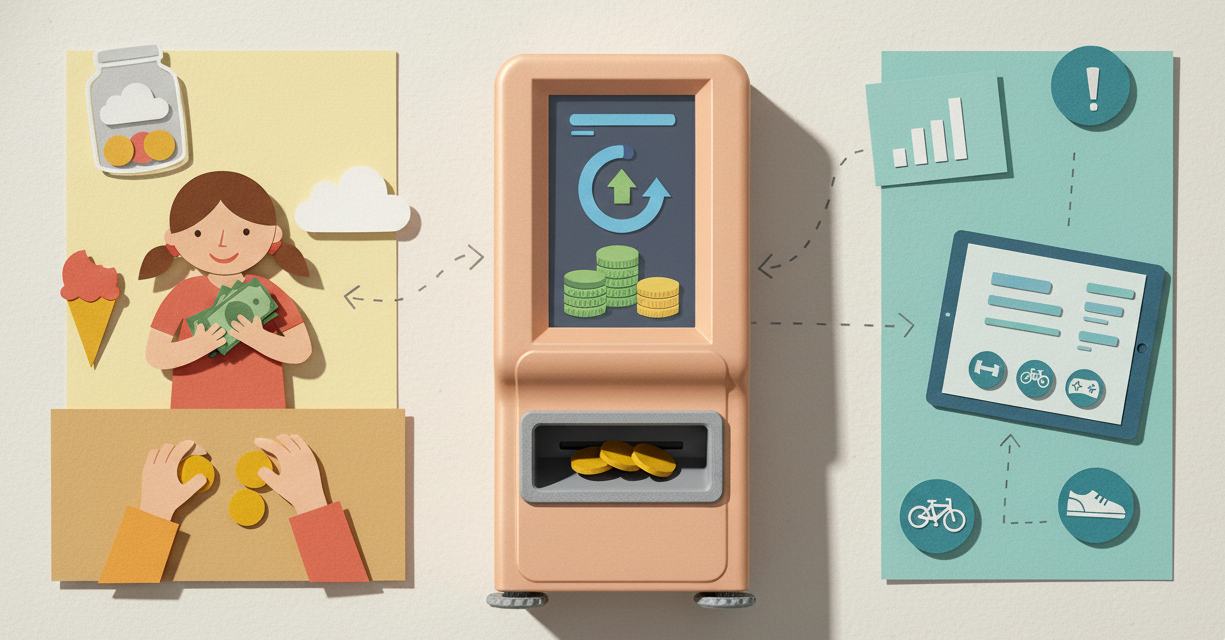
Why Choose When You Can Combine?
A lot of parents feel stuck between two worlds. Cash is tangible and simple, but it doesn't teach digital skills. Digital allowances are modern and trackable, but they feel abstract for younger kids.
Here's what we've noticed: families who use both get better results than families who pick just one.
The hybrid method gives kids hands-on experience with physical money while building the digital literacy they'll need as they grow. It's not complicated, but it does require a bit of intentional setup.
Still deciding between cash and digital? Read our comparison guide first.
What Kids Learn From Each Method
Before we talk logistics, let's be clear about why this matters.
From Cash They Learn:
Tangibility. Holding money makes it real. Counting coins builds math skills. Watching a jar fill up creates visible progress.
Physical restraint. Handing over cash creates natural friction. Once it's gone, it's gone, and that's a powerful lesson.
Immediate math. Making change, counting out exact amounts, and doing transactions face-to-face all build practical numeracy.
From Digital They Learn:
Modern money management. Most transactions they'll make as adults will be digital. Cards, apps, online banking—these are the systems they need to understand.
Tracking and awareness. Digital platforms show spending patterns over time. This kind of big-picture view is hard to see with cash alone.
Goal visualization. Progress bars, charts, and automatic calculations make abstract goals concrete.
Security and responsibility. Passwords, account safety, and protecting access to money are real-world skills.
Three Hybrid Methods That Work
Every family structures this differently. Here are three approaches we've seen succeed:
Method 1: The Weekend Cash System
How it works: The main allowance lives digitally, but kids "withdraw" a set amount to cash each weekend for spending money.
Example setup:
- $20/week total allowance (digital)
- $5 withdrawn to cash every Saturday
- Remaining $15 stays digital for savings goals
What this teaches: Kids learn to manage immediate spending with cash while building long-term savings digitally. The "withdrawal" concept mimics real ATM behavior.
Best for: Ages 8-12 who have regular weekend spending opportunities (movies, treats, friends).
Method 2: The Category Split
How it works: Certain money categories are cash-only, others are digital-only.
Example setup:
- Digital: All savings toward big goals
- Digital: Giving/charity contributions
- Cash: Weekly spending money
- Cash: Small spontaneous purchases
What this teaches: Different types of money serve different purposes. Savings benefit from tracking, while spending money works fine as cash.
Best for: Families who want clear boundaries between spending and saving.
Method 3: Goal-Based Choice
How it works: Kids choose whether each savings goal is tracked digitally or saved in cash.
Example setup:
- Saving for a $60 video game? Use the app to track progress digitally.
- Saving for $10 of candy at the corner store? Use a physical jar.
- Saving for a $200 bike? Digital with parent matching.
What this teaches: Flexibility in financial tools. Sometimes cash makes sense, sometimes digital tracking is better. The choice depends on the goal.
Best for: Ages 10+ who can handle the decision-making responsibility.
Setting Up Your Hybrid System
Here's how to actually make this work without overcomplicating it:
Step 1: Decide Your Split
Ask yourself:
- What percentage will be digital vs cash?
- Which purchases happen in person vs online?
- What's worth tracking digitally vs managing manually?
Our recommendation for beginners:
- 70% digital (savings, big goals, tracked spending)
- 30% cash (pocket money, local purchases, immediate spending)
Step 2: Set the Ground Rules
Write down (yes, actually write down) the answers to:
What comes in cash?
- Weekly spending money
- Specific purchases (like ice cream truck)
- Allowance under $X amount
What stays digital?
- Long-term savings goals
- Large purchases requiring tracking
- Any money earning "interest" or parent matching
How do withdrawals work?
- Can they request cash from digital balance?
- Is there a limit?
- What's the process?
Step 3: Pick Your Tools
For digital tracking: Choose an allowance app with solid parental controls and clear interfaces. VaultQuest works well because it makes the digital side visual and engaging.
For cash management: Use whatever storage works for your kid's age. Clear jars for young kids (they like seeing it), wallets or envelopes for older ones.
Step 4: Explain the System
Sit down together and walk through how money will flow:
"You'll get $20 every week. $15 goes into your VaultQuest account automatically. That's for your bike fund and your long-term savings. The other $5 comes to you in cash every Sunday. That's your spending money for the week."
Use visual aids. Draw it out if needed. Kids get it faster when they can see the flow.
Real Family Examples
The Thompson Family (Two Kids, Ages 7 and 10)
"We use VaultQuest for allowances but keep a 'cash jar' for instant rewards. When our kids complete extra chores, they get immediate cash they can see and touch. But their regular allowance builds digitally, and they track their savings toward bigger goals in the app. It's the best of both worlds." - Mike T.
Why it works: Immediate gratification (cash) for extra effort, delayed gratification (digital) for planned goals.
The Rodriguez Family (One Child, Age 11)
"Our daughter gets $25/week. $20 is digital, $5 is cash. The cash is hers to blow however she wants with zero judgment. The digital portion has structure: $10 to savings, $10 to her goal fund. This way she practices both impulsive spending (with limits) and disciplined saving." - Carmen R.
Why it works: Built-in freedom plus built-in structure. She learns both sides of money management.
The Park Family (Three Kids, Ages 8, 10, 13)
"Each kid gets age-based allowances, mostly digital. But we have a family 'petty cash' box. When they need physical money for school events, bake sales, or birthday gifts for friends, they log a withdrawal in the app and take cash from the box. We reconcile weekly." - Susan P.
Why it works: Maintains digital tracking while accommodating real-world cash needs. The reconciliation teaches accountability.
Common Challenges and Fixes
Challenge 1: They Blow Through Cash Too Fast
The fix: That's actually the point. Cash should be their "learning to fail safely" money. When it's gone, it's gone until next allowance day.
Teaching moment: "You spent your $5 on Monday. That's okay, but now you'll need to wait until Sunday for more."
Challenge 2: They Never Use the Digital Balance
The fix: Make sure digital money has a clear purpose. If it just sits there with no goal attached, it's boring.
Teaching moment: "What are you saving your digital money for? Let's set up a goal you can track."
Challenge 3: Tracking Both Gets Confusing
The fix: Simplify your split. You might be trying to manage too many categories.
Teaching moment: Start with one cash category and one digital category. Add complexity only when they master the basics.
Challenge 4: You Forget to Give the Cash Portion
The fix: Set a recurring phone reminder for allowance day. Better yet, make it part of a weekly routine (Sunday morning, after breakfast).
Teaching moment: Consistency matters more than perfection. If you miss a week, double up the next one and move on.
Age-Specific Hybrid Approaches
Ages 6-8: Cash-Heavy Hybrid
Setup: 70% cash, 30% digital
Why: They need lots of hands-on experience, but you can start introducing digital tracking for one specific goal.
Example: $7 cash/week for spending, $3 digital/week toward a specific toy they're saving for.
Ages 9-11: Balanced Hybrid
Setup: 50% cash, 50% digital
Why: They can handle both and benefit from comparing the two systems directly.
Example: $10 cash for weekly freedom, $10 digital split between savings and a tracked goal.
Ages 12-14: Digital-Heavy Hybrid
Setup: 30% cash, 70% digital
Why: They're preparing for real bank accounts and debit cards. Cash becomes the backup, not the main system.
Example: $5-10 cash for spontaneous local spending, $20-30 digital for everything else.
When Hybrid Stops Making Sense
At some point, probably around age 14-15, it's time to go fully digital and introduce real banking.
Signs they're ready to move on:
- They rarely use their cash portion
- They ask for a real debit card
- They're comfortable with digital-only tracking
- They need to make online purchases regularly
Transition smoothly: Phase out the cash portion gradually rather than cutting it all at once.
The Real Benefit: Financial Flexibility
Here's what we've learned from families using hybrid systems: kids who learn both cash and digital become more financially flexible.
They don't see money as one thing. They understand it's a tool that takes different forms depending on the situation. Sometimes cash makes sense. Sometimes digital is better. Sometimes you need both.
That nuanced understanding is exactly what we want them to develop.
Ready to set up your digital component? Read our step-by-step guide to starting digital allowances.
Looking for a digital platform that makes hybrid tracking simple? VaultQuest handles the digital side while you manage cash your way. Get started free.
Ready to Start Teaching Financial Literacy?
VaultQuest makes it easy to teach kids about money management with virtual allowances, saving goals, and a fun retro ATM interface.
Get Started Free